



10 Tips for Business Central Technical Consultants
Practical insights on delivering secure, scalable Business Central solutions — and why choosing the right consulting partner matters.

Microsoft Dynamics 365 Business Central is a game-changer for finance and operations, but it doesn't run itself. The real magic happens when a skilled Technical Consultant aligns the platform with your specific business DNA.
Whether you are launching a new implementation or scaling with custom integrations, your Technical Consultant is the architect of your success. Understanding their role and vetting the right partner- is the most effective way to ensure your ERP investment delivers lasting value.
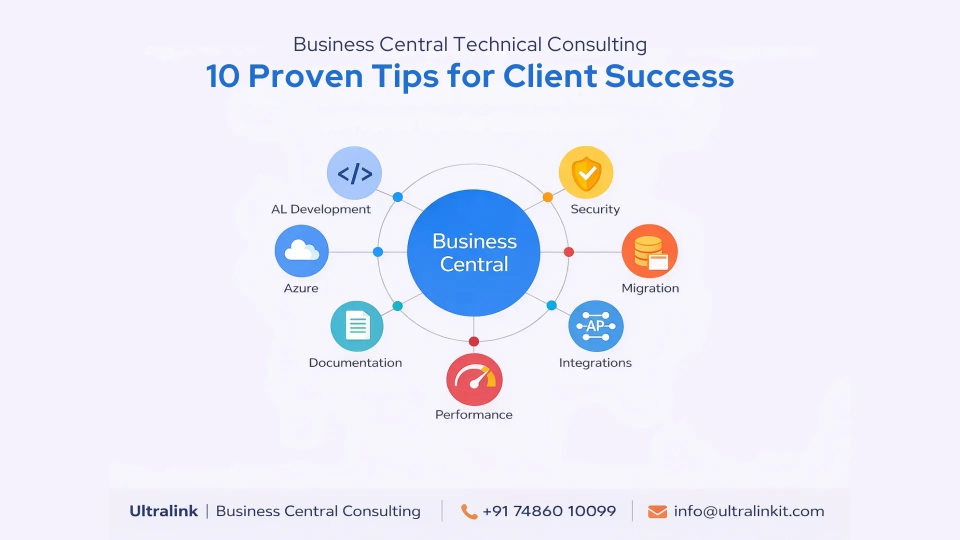
This article shares 10 practical tips that experienced Business Central technical consultants follow when working with clients, and explains why organizations choose Ultralink for reliable, scalable Business Central engineering.
One of the most common ERP mistakes is jumping straight into development without fully understanding existing systems, data flows, and technical constraints.
Skilled consultants don't just "plug and play." They dive deep into your legacy systems and data architecture to understand the how and why behind your operations. This technical deep-dive prevents the "expensive pivot" later in the project.
The Big Win: You get a system that works on Day 1, with zero "performance surprises" down the road.
Modern Business Central development relies on extension-based architecture. Experienced consultants avoid altering the core system and instead build modular AL extensions.
This approach keeps the system upgrade-safe, easier to maintain, and aligned with Microsoft’s long-term roadmap.
Consultant best practice: Every customization should be replaceable, scalable, and independently maintainable.
Data migration is one of the most sensitive aspects of Business Central projects. Technical consultants must ensure that financial data, transactional records, and historical information remain accurate and complete.
Experienced consultants implement structured migration processes that include validation, reconciliation, and testing.
Result: Clean data ensures reliable reporting, compliance, and confident decision-making.
Business Central rarely operates alone. It often integrates with CRM systems, eCommerce platforms, payment gateways, or logistics tools.
Technical consultants should design integrations that are secure, well-documented, and resilient to external system changes, rather than quick, fragile connections.
Good integrations reduce manual work and improve system reliability.
Performance issues often appear after go-live, but the root cause usually lies in early technical decisions.
Skilled consultants optimize data models, queries, and workflows from the start - ensuring the system performs well as transaction volumes grow.
Key takeaway: Performance tuning is easier and cheaper when done early.
Security in Business Central is not just about access control - it’s about governance.
Experienced technical consultants design role-based permission models that balance security with usability, ensuring users access only what they need while maintaining compliance and audit readiness.
Business Central supports powerful automation capabilities, but they must be implemented correctly.
Technical consultants identify repetitive tasks, approval flows, and business rules that can be automated to reduce errors and save time.
Automation improves operational efficiency without increasing system complexity.
Effective consultants test more than just standard workflows. They simulate edge cases, high data volumes, and integration failures to ensure the system behaves correctly under pressure.
This level of testing helps avoid surprises after deployment.
Documentation is often overlooked, yet it plays a critical role in long-term ERP success.
Professional Business Central technical consultants document extensions, integrations, and architectural decisions so future teams can maintain and extend the system confidently.
An ERP implementation isn't a finish line; it’s a foundation. The best consultants don’t just build for today’s requirements - they architect for tomorrow’s growth. By planning for future Microsoft release waves, scalability, and evolving business models, they ensure your ERP remains a flexible asset.
The Shift: Moving from a "one-time fix" to a long-term roadmap ensures Business Central grows with you, not away from you.
A powerful ERP platform like Dynamics 365 Business Central provides the tools, but your consulting partner provides the mastery. Even the most sophisticated software can become a technical burden if executed without precision, structured delivery, and a sense of long-term ownership.
The right partner doesn't just "implement" software - they engineer a strategic engine for your business. When you prioritize technical depth and a proactive partnership, you aren't just buying an ERP; you are securing the future of your operations.
Ultralink provides Business Central technical consulting services designed for stability, scalability, and future growth.
Microsoft Dynamics 365 Business Central is an elite engine for growth, but its performance is dictated by how it is engineered, integrated, and sustained. Success isn't found in the "default" settings; it’s found in the proven technical practices and strategic foresight of a partner who understands the stakes.
By prioritizing technical discovery, data integrity, and a long-term platform mindset, your organization can bypass common ERP pitfalls and move straight to high-performance operations. Whether you are launching a new implementation or modernizing through integration, the right technical partner doesn't just solve problems - they prevent them.
At Ultralink, we don’t just deploy software; we help organizations design, build, and evolve Business Central ecosystems with absolute confidence. Our technical depth ensures your ERP is a strategic asset today and a scalable platform for tomorrow.
Practical insights on delivering secure, scalable Business Central solutions — and why choosing the right consulting partner matters.

In today’s hyper-connected digital world, where customer expectations spread faster than ever...

Microsoft Dynamics 365 Business Central is one of the fastest-growing cloud...

